
 for iphone and ipad
know your
crypto average.
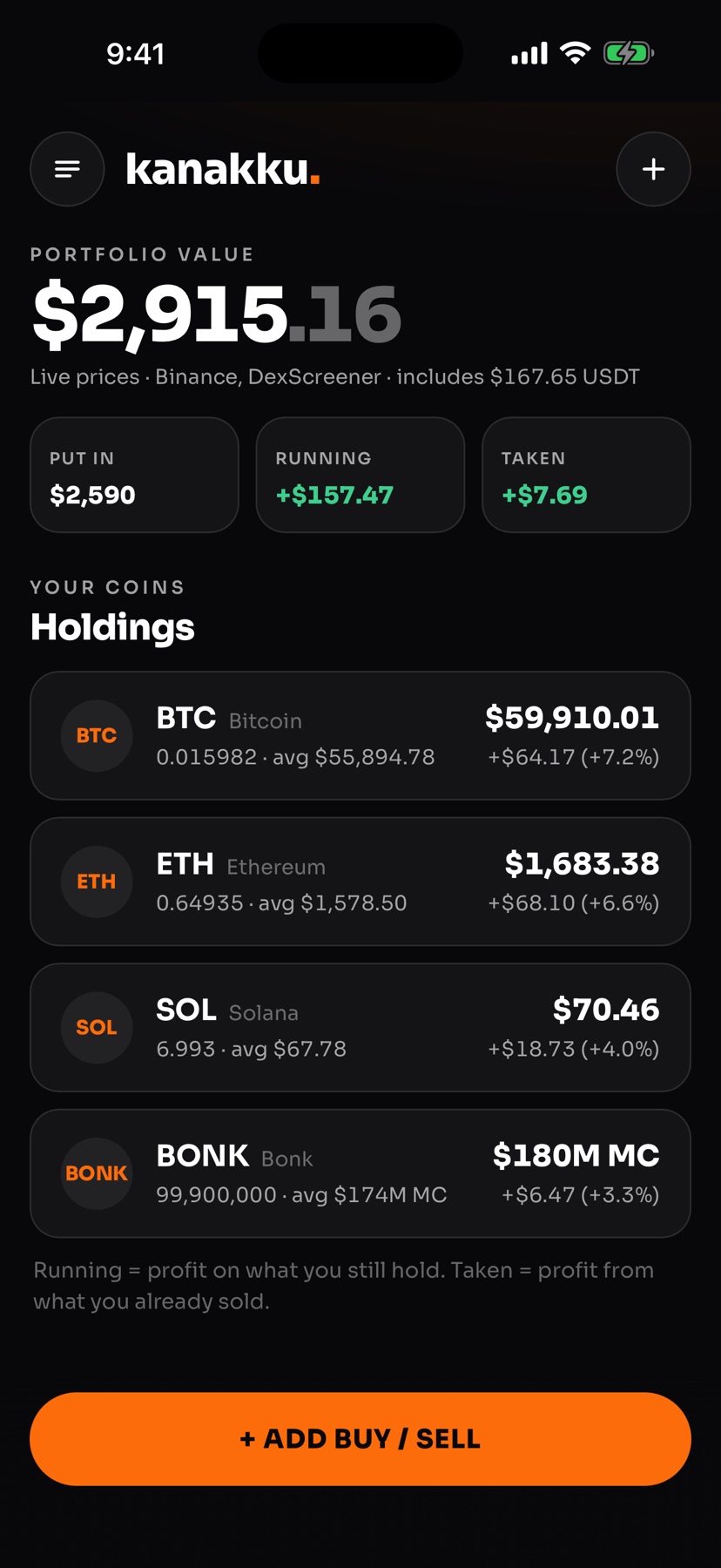
kanakku keeps track of what you buy and sell, so you always know your average entry price, how much you have put in and how much profit you are running. made for people who buy every month and lose track.
no account · no ads · your data stays on your phone
sound familiar?
you bought at 75, again at 70, a little more at 65 and a big buy at 50. the exchange shows today’s price, not your average. so you open a spreadsheet, or do the maths in your head, and lose track again next month.
with kanakku, your real average is always one tap away.
add a buy
- type the price and either the usdt you spent or the coins you got. the other one works itself out.
- or fill it from a screenshot of your order. it is read on your phone.
- already have a history? import it from excel, a csv, binance or pasted text (pro).
see your average
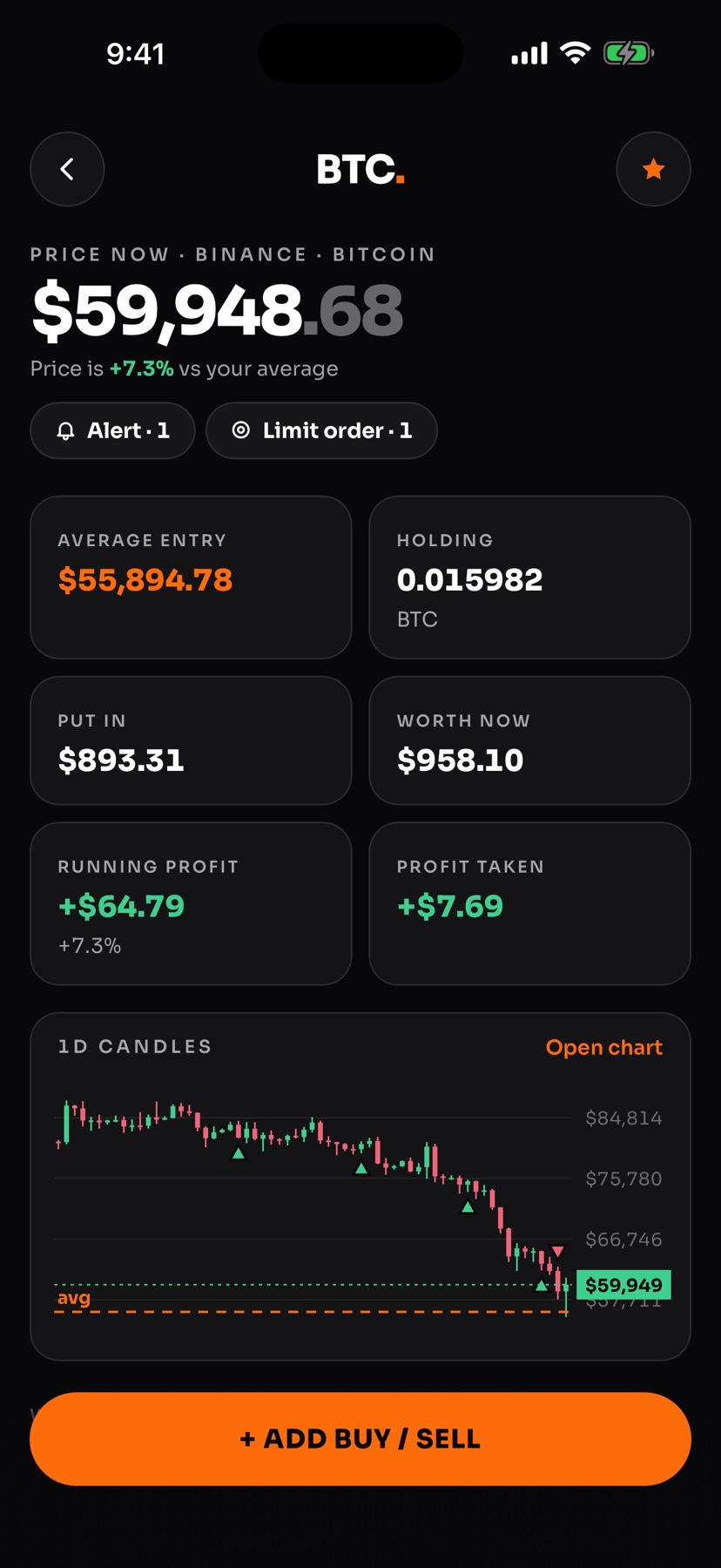
- every coin shows your average entry, what you hold, what you put in and what it is worth now.
- running profit on what you still hold, and the profit you already took.
- fix a typo any time: every buy and sell can be changed or deleted.
work it out
- price dropped? see how much to buy to bring your average down to where you want it.
- price up? see how much to sell to take out the profit you want.
- kanakku shows the numbers. the decision stays yours.
what happens if.
four calculators on every coin, using your own average and today’s price.
avg
after the buy
buy
what your average becomes if you buy a set amount right now.
$
to spend
lower avg
how much to buy at today’s price to reach the average you want.
%
of your holding
sell
sell part of your holding at a price: what you get back and what you make.
+
profit you want
take profit
how much to sell to take out a profit, or to get back everything you put in.
an example
0.01 btc at 75,000, then $100 at 70,000, $100 at 65,000 and $500 at 50,000. you have put in $1,450, and your average entry is $63,134, not 75,000.
private by design
no account, no sign-in, no ads and no tracking. kanakku never connects to your exchange account. your trades stay on your iphone.
prices from binance and dexscreener
what you get
- average entry, holding, money put in and profit per coin
- add a buy or sell in usdt or in coins
- fill a trade from a screenshot, read on the phone
- import from excel, csv, binance or pasted text, sorted by date
- export everything to excel
- every trade on one page, easy to change or delete
- four calculators: buy, lower avg, sell, take profit
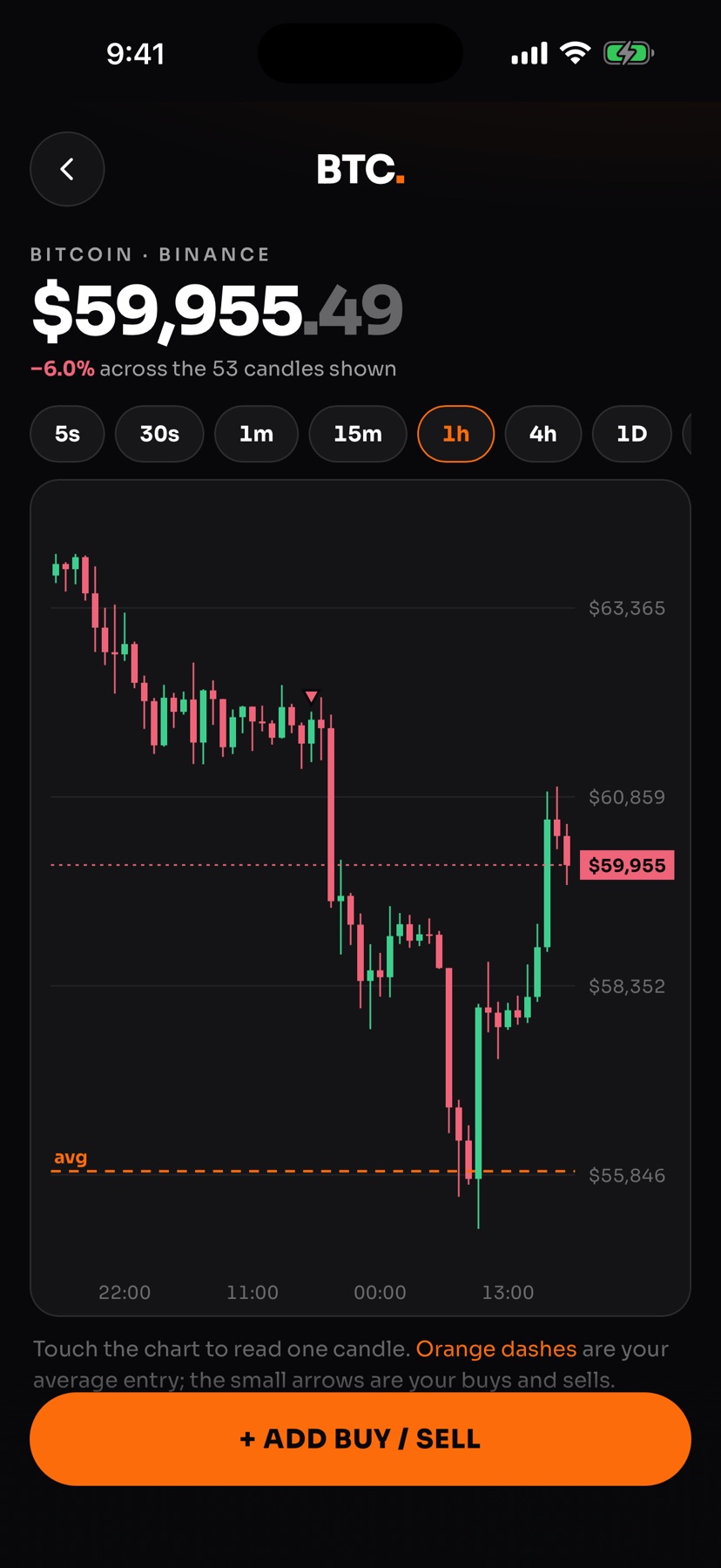
- live candle charts from 1 minute to 1 week
- your average and your buys drawn on the chart
- price alerts for the coins you follow
- limit orders recorded when the price is reached
- any coin by name, ticker or contract address
- export every trade as a spreadsheet file
built for
questions
is it free?
yes for up to 3 coins, with every trade, your average and profit, the buy, lower avg and sell calculators, excel export and backups. kanakku pro is a one-time purchase in the app, no subscription: unlimited coins, small coins by contract address and market cap, take profit, fill from a screenshot, import, full charts, price alerts and limit orders.
does kanakku trade for me?
no. it never connects to an exchange account, places no orders and moves no money. you buy and sell on your exchange as usual, and add the trade to kanakku.
where is my data kept?
on your iphone only. there is no account and no sign-in. you can save a backup file or export your trades whenever you like, and restore the backup on another phone.
which coins does it work with?
any coin with a price on binance or dexscreener. add it by name or ticker, or paste its contract address for solana, ethereum and other networks.
how does it work out my average?
it uses the average-cost method: everything you paid for the coins you still hold, divided by how many you hold. selling some does not change the average, it books the profit or loss on what you sold.
what about fees?
fees from a binance file are used as they are. for trades you type in, kanakku adds an estimate (0.1%, binance’s standard rate). you can change the estimate or turn it off.
what are limit orders in kanakku?
enter the same limit order you placed on your exchange. when the price reaches it, kanakku writes the trade into your history for you, even if the app was closed at the time.
is this investment advice?
no. kanakku shows numbers so you can see where you stand. what to buy or sell is your call.
what do i need?
An iPhone or iPad with iOS 15 or later. An internet connection for live prices.
what does kanakku mean?
kanakku means accounts, the reckoning of what came in and what went out. that’s the job of the app.
need a hand?
email portaldevsup@gmail.com. a real person at portal productions answers, usually within a day.
kanakku shows numbers. it does not place orders, hold money or give investment advice. Binance and DexScreener are trademarks of their owners; kanakku is not affiliated with them.